How to Restart a Pack / How to Reset Done Checkmarks
Resetting Session Flags
If you want to restart a pack and track your progress from scratch, you can reset the session flags easily. Follow these steps:
Open the app and navigate to the list of sessions.
Find the session you want to reset.
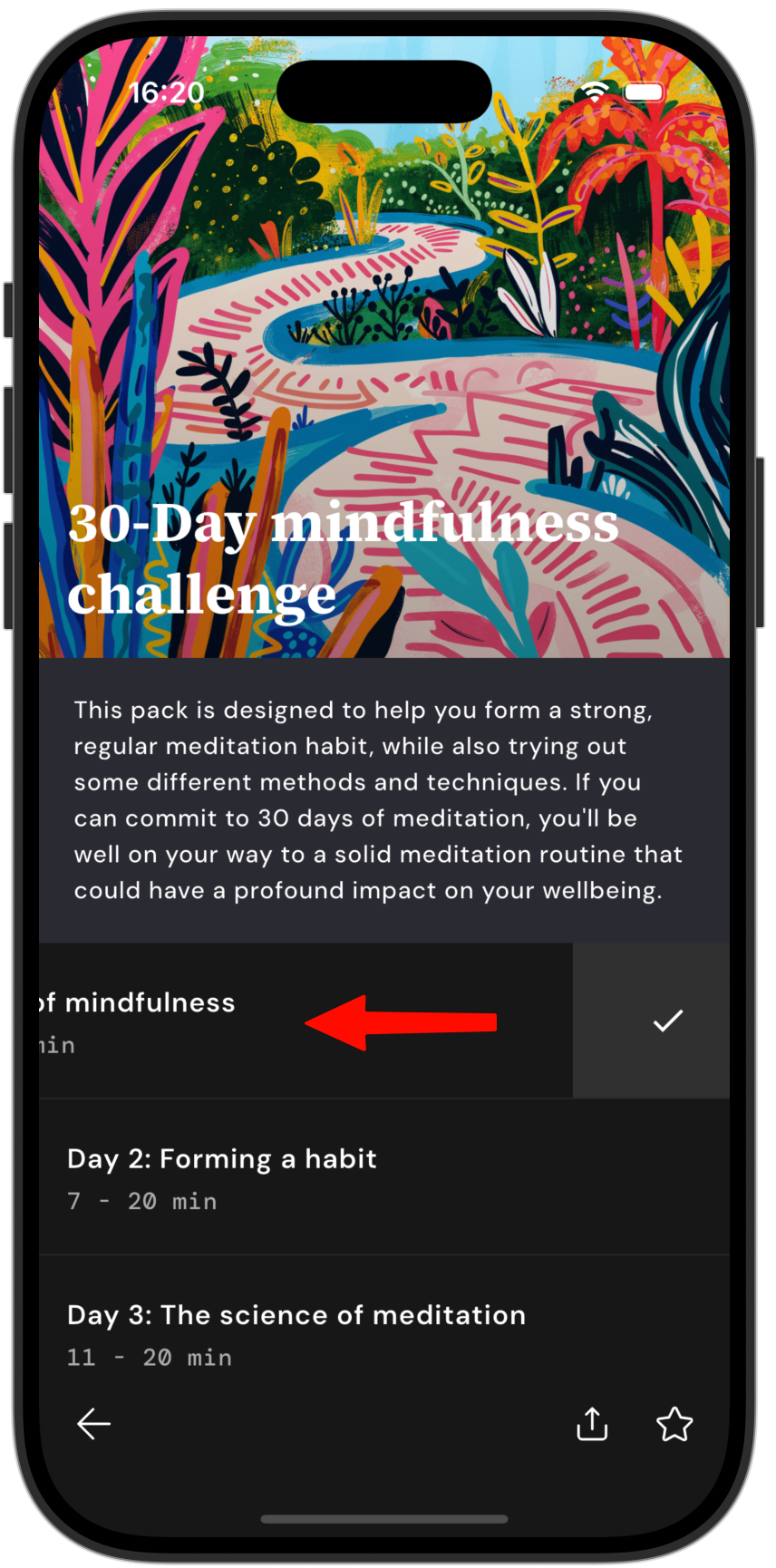
Swipe left on the name of the track.
The tick mark indicating completion will disappear, resetting the session flag.
Once you've reset the flags, you can start the challenges again and monitor your progress as you complete each session.